AthleticAPP
- 2.0
- Rating
- 100.00K
- Installs
- Free
- Price

 Analysis by App-foxy
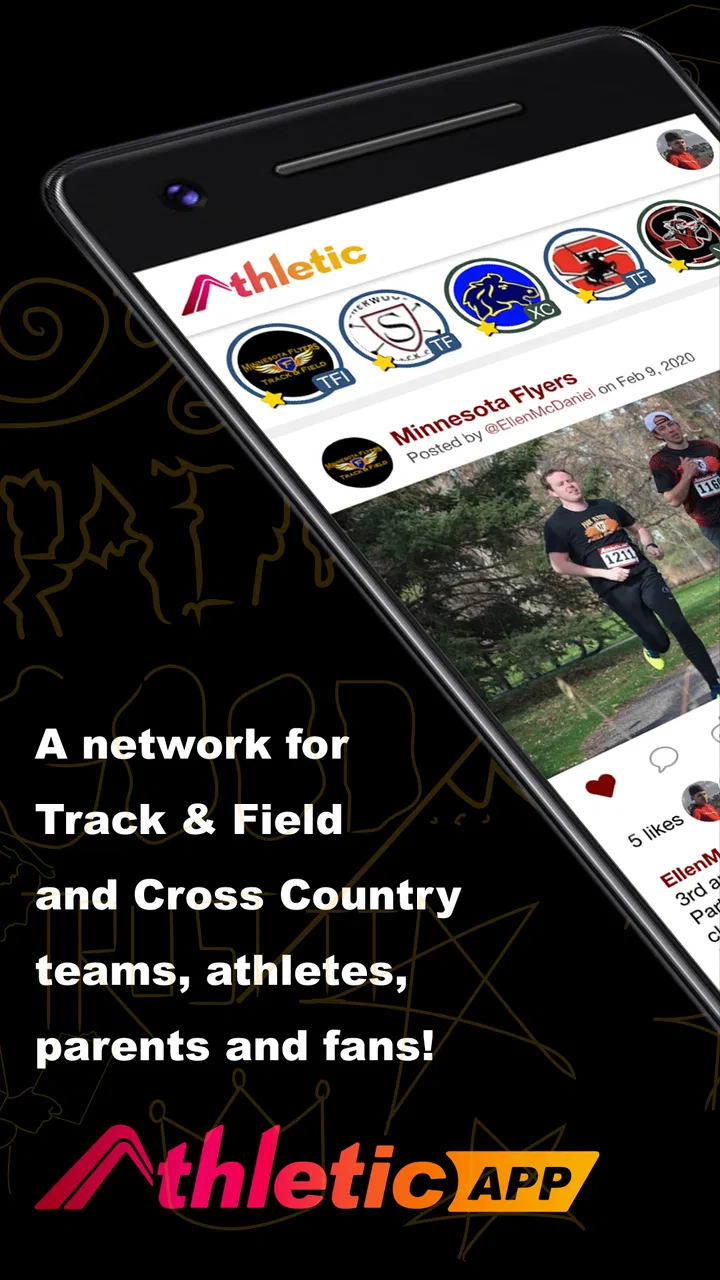
I spent time with AthleticAPP as a sports communication tool aimed at Cross Country and Track & Field teams, and my overall impression is mixed. The idea is useful: put team communication and virtual entry tasks in one place instead of scattering updates across group chats, email, paper lists, and separate event tools. In practice, though, the experience feels more suitable for a team that already has a clear routine than for someone opening it alone and expecting instant guidance.
The app comes from Athletic+, is free to install, and is rated for Everyone. Its audience is fairly specific, which is important. This is not a general running tracker, a training diary, or a spectator-focused results app. I would look at it when I need to follow the operational side of a school or club athletics team: messages, participation details, and the digital steps connected with entering events. That focus can be valuable, but it also means the app’s usefulness depends heavily on whether a coach, organizer, or team has adopted it consistently.
How readable and navigable is the team experience?
My first concern with a team app is not whether it has many screens; it is whether I can understand what matters before practice, on a busy competition day, or while moving between events. AthleticAPP’s purpose gives it a sensible starting point because communication and virtual entry work belong to the same team workflow. A runner or parent should not have to guess whether an update belongs in a message thread, an entry area, or an external channel.
You May Also Like

 Blood Strike: 2.5 Anniversary
Blood Strike’s Loadouts Turn Every Drop Into a Tactical Gamble
A close look at Blood Strike’s custom loadouts: how fast access to signature weapons reshapes its battle royale rhythm, rewards preparation, and narrows the gap between fights.

 Pandora - Music & Podcasts
Pandora’s Music Is Easy to Start, but Harder to Recover
Pandora’s strength is its low-effort path from a seed to a station. Its weak spot is how much confidence it asks you to place in connection, setup, and quiet recovery.

 8 Ball Pool
 Is Built on Rivalries, Rematches, and Routine
A close look at the rivalries, rematches, shared routines, and unanswered safety questions that turn a quick pool match into a persistent mobile community.

 Samsung Music
’s Quiet Strength Is Playing What You Already Own
Its reach comes less from spectacle than from dependable access to a personal library. That simplicity is both the app’s strongest retention engine and its ceiling.

 AccuWeather: Weather Radar
AccuWeather Review: A Quick, Clear Forecast for Everyday Decisions
For everyday plans, the best forecast is the one you can understand quickly. AccuWeather makes rain timing, radar, and local conditions easy to act on, with a few trade-offs.

 Hill Climb Racing
Why Hill Climb Racing Still Turns Crashes Into One More Run
A tiny car, a bumpy hill and one more upgrade: Hill Climb Racing keeps resurfacing because its simple chaos makes every near-miss feel personal.
More From Our News Desk



That said, a focused purpose does not automatically make navigation effortless. New users may still need an invitation, team instructions, or a short explanation from the organizer before the app makes sense. I would not judge it as a self-contained sports utility where anyone can download it and immediately receive value. It is more like a shared workspace: its structure becomes clearer once the relevant team has established how members should use it.
For readability, I found the most important practical habit is to treat the app as a place for current team information rather than as a complete archive of an athlete’s season. If I were setting it up for a group, I would encourage coaches to keep messages direct, put the action at the beginning, and avoid burying a deadline inside a long announcement. That is not a glamorous feature, but it can make a major difference for users who read quickly, use larger text, or need extra time to interpret instructions.
The strongest accessibility decision here is organizational rather than technical: clear team routines can make the same interface much easier to use. A coach who separates urgent competition instructions from general discussion gives athletes and families a better chance of finding what they need. A coach who posts everything in one stream creates friction regardless of how polished the app looks.
What I would do before relying on it
I would ask the team administrator three simple questions before making AthleticAPP my main channel: where are new notices expected to appear, how are virtual entries confirmed, and what should I do if I cannot complete an entry in the app? Those answers matter because an app can be perfectly usable for one group and confusing for another when local procedures are unclear.
This is also where the app differs from ordinary messaging services. A group chat is familiar and flexible, but important details can disappear under casual conversation. Email is easier to search for many people, but it can split replies and updates across threads. AthleticAPP has a more sports-specific purpose, so it can be a better fit when a team wants communication connected to participation. I would still keep a backup contact method for urgent matters, especially during a meet.
Motor, visual, hearing, and cognitive considerations
Different abilities change how a team app is experienced. Someone with limited fine-motor control may find repeated tapping, scrolling, or selecting entry details tiring. Someone with low vision may need stronger text scaling or a more predictable reading order. Someone with hearing loss may depend entirely on written notices rather than spoken announcements. A user with attention, memory, or processing differences may need the same instruction presented in a stable, uncluttered way.
I would not assume that a sports-focused interface automatically handles all of those needs. The safest approach is to use the device’s own display and interaction settings where possible, then test the real workflow rather than judging the home screen. The critical test is not simply opening the app. It is finding a team notice, understanding what action is required, and completing an entry without rushing.
For athletes with motor limitations, the app may be most comfortable when entries are completed in advance at a desk or in a quiet room instead of in a crowded venue. That small change removes time pressure and reduces the chance of accidental selections. If a parent or support person helps with administration, I would agree beforehand on who checks the final details, because shared responsibility can otherwise lead to duplicate or incomplete submissions.
For users with visual or cognitive needs, I would recommend turning team instructions into a short sequence: event, date, required response, and deadline. The app can carry the communication, but the clarity of the message still depends on the person posting it. A concise notice is easier to enlarge, reread, translate mentally, or pass along to a caregiver than a paragraph containing several unrelated tasks.
Hearing access deserves attention in a different way. Track and Cross Country environments are noisy, fast, and often full of announcements. If important information is only spoken at the venue, an app cannot solve that problem unless the same information is also posted in writing. I would want organizers to use AthleticAPP for written confirmation of schedule changes, meeting points, and entry decisions rather than assuming every athlete can hear a loudspeaker or nearby conversation.
A useful workflow for mixed-ability teams
One practical workflow is to complete administrative steps before travel, review the final message with the athlete or family, and keep a readable screenshot or written note of the essential details. I am not suggesting that the app replaces official instructions; I am saying that reducing last-minute interaction makes the process more forgiving for people who need slower navigation, assistive support, or a calmer setting.
Another useful habit is to avoid making the app the only source of a critical instruction. If an athlete cannot access the service at a particular moment, the team should still have a human contact or established alternative. This is especially important for younger participants, athletes with support needs, and families who share devices or have inconsistent connectivity.
Situational access on practice and competition days
AthleticAPP makes the most sense when I imagine a normal weekday. A coach posts a participation reminder, an athlete checks what is needed, and a parent confirms an entry before the evening deadline. In that setting, the app’s sports-specific focus can save time because the communication is tied to the team rather than mixed with unrelated personal messages.
A competition day is more demanding. I may be carrying equipment, standing outdoors, dealing with poor lighting, or trying to read a notice between warm-up and a race. A workflow that feels simple at home can become difficult when attention is divided. My advice is to use the app for preparation and confirmation before arriving, then treat venue use as a quick reference rather than the moment to discover how everything works.
Cross Country adds its own situational challenge because locations can be spread out and conditions can change. Track meets can also involve many events and rapid transitions. In both cases, a clear written update is more inclusive than an assumption that everyone is beside the coach or can hear a verbal change. The app is potentially helpful here because it gives the team a shared communication point, but its benefit depends on organizers posting changes promptly and plainly.
Families may also use the app differently from athletes. A parent might handle entries, monitor notices, or help a younger runner understand what is expected. That makes role clarity important. Before a season begins, I would decide whether the athlete, parent, or coach is responsible for each step. Without that agreement, the app can create a false sense that a task is complete simply because someone saw a message.
For athletes who do not use a phone comfortably, the team should plan around that reality instead of treating personal device access as automatic. A shared family device, a caregiver’s assistance, or an organizer’s alternative process may be necessary. AthleticAPP is more inclusive when it supports a team routine that allows those options, not when it quietly assumes every participant can respond independently and immediately.
Where the experience still creates barriers
The clearest barrier is dependence on team adoption. If only some information appears in AthleticAPP while other details arrive through texts, email, or printed notices, users must monitor several channels. That is particularly difficult for people with limited attention, limited data access, or a need for predictable routines. A single app cannot create consistency if the organization does not use it consistently.
The app also has a low average rating of 2.0 from around 397 ratings, with roughly 225 written reviews. I treat that as a meaningful warning rather than an automatic rejection. It suggests that many users have encountered enough frustration to rate the experience poorly, even though the app has passed the 100K-install mark. For me, those figures make testing with a real team more important than relying on the concept alone.
There is also a financial consideration. The download is free, but optional purchases range from $9.99 to $95.00 per item. I would want a parent or team administrator to explain whether any paid step is relevant before asking families to use the app. Even when an app is free to start, unexpected purchase prompts can be a barrier for users managing a strict budget or needing approval for every expense.
Version 1.21.10 supports devices using Android 7.0 or later, which gives it a broad technical reach among older Android phones. Still, an operating-system minimum does not guarantee an equally comfortable experience on every screen size, input method, or device configuration. I would test the actual entry process on the phones used by team members, especially if athletes rely on older hardware or accessibility settings.
Another limitation is that the app is not the best replacement for every alternative. A dedicated calendar may be better for long-term scheduling. Email may be better for formal records and detailed explanations. A familiar messaging service may be faster for urgent one-to-one contact. A general athletics results platform may be more appropriate for spectators who only want race information. AthleticAPP earns its place when a team needs its communication and virtual entry workflow together, not when one of those jobs is all the user needs.
Who should use it, and who should pause?
I would recommend trying it if a Cross Country or Track & Field team has clearly chosen it as its working channel and has someone available to help new members. It can be worthwhile for coaches coordinating responses, families managing participation details, and athletes who want team information in a sports-specific setting.
I would pause if I were an individual runner looking for training plans, route tracking, performance analysis, or a social running community. Those are different needs, and this app’s purpose does not point in that direction. I would also hesitate if the team cannot explain which notices are official or how to recover from a failed entry. In that situation, the app may add another layer instead of removing one.
My inclusive verdict after using it
AthleticAPP has a sensible niche, but inclusion depends as much on the surrounding team practice as on the software. I like the attempt to connect communication with virtual entry for Cross Country and Track & Field teams. That can reduce scattered information and give families a more relevant place to handle routine participation tasks.
My reservations are substantial. The low average rating, the possibility of inconsistent team use, the need for clear organizer instructions, and the presence of in-app purchases all mean I would not recommend adopting it blindly. I would test one complete workflow first: receive a notice, understand the requested action, complete an entry, and confirm what happens next. I would repeat that test with the people who need larger text, more time, assistance, or an alternative communication route.
The developer, Athletic+, has positioned this as a team-oriented sports app rather than a universal athletics companion. That distinction helps set expectations. It is potentially useful for an organized group, especially when a coach actively maintains it and provides a backup for urgent or inaccessible situations. It is less convincing as a standalone download for an individual user.
My recommendation is conditional: use it when the team has made it part of a clear, inclusive process, but do not let it become the only way an athlete can receive a critical instruction or complete an important task. For a well-supported team, that may be enough to make the app practical. For a team still deciding how to communicate, a simpler and more familiar combination of calendar, email, and direct contact may be easier for everyone.
FAQs for AthleticAPP
01What is AthleticAPP and who is it designed for?
AthleticAPP is a fitness and sports-focused mobile application designed to help users organize workouts, monitor athletic progress, and stay motivated. It may be useful for beginners, recreational athletes, and more experienced users who want a convenient way to follow training routines. Before downloading, check whether its available exercises, sports categories, and coaching features match your goals and experience level.
02What features does AthleticAPP offer for tracking workouts and progress?
AthleticAPP typically centers on workout planning and progress monitoring, allowing users to record training sessions, review performance, and maintain consistency over time. Depending on the version and platform, it may include exercise instructions, activity history, statistics, reminders, or personalized plans. Users should review the current app listing because available tools, supported activities, and tracking accuracy can vary between updates.
03Is AthleticAPP free to download, and does it include subscriptions or in-app purchases?
AthleticAPP may be available as a free download, but some advanced features can require a subscription, one-time purchase, or in-app payment. Premium access may include additional training plans, detailed statistics, coaching content, or an ad-free experience. We recommend checking the Google Play Store or Apple App Store description for current pricing, trial conditions, renewal details, and cancellation instructions before starting any paid plan.
04Does AthleticAPP require an account or access to personal information?
Some AthleticAPP functions may work without registration, while features such as cloud synchronization, personalized recommendations, saved progress, or social interaction may require an account. The app could request permissions related to activity data, notifications, location, health information, or device storage. Review the privacy policy and permission requests carefully, and only provide information that is necessary for the features you intend to use.
05Can AthleticAPP replace a professional trainer or medical advice?
AthleticAPP can be a useful tool for organizing exercise and encouraging regular training, but it should not be considered a replacement for a qualified coach, physiotherapist, or medical professional. Exercise recommendations may not account for injuries, chronic conditions, pregnancy, or individual limitations. Start gradually, use proper technique, and consult a healthcare professional before beginning a demanding program or exercising after a health concern.
Pros
- Clear workout guidance for users with different fitness levels.
- Useful tracking tools help monitor progress over time.
- Exercise demonstrations make routines easier to follow correctly.
- Can support consistent training with scheduled workout plans.
- Suitable for home workouts without requiring much equipment.
Cons
- Some advanced features may require a paid subscription.
- Workout variety can feel limited for experienced athletes.
- Personalization may not match the precision of a human coach.
- Requires regular input to keep progress data accurate.
- Performance may depend on a stable internet connection.

AthleticAPP
Gallery